
Connecting Make
You can use Zapier and/or Make to receive AbleTime webhooks without writing a signature verifier.
Make
You create a Custom Webhook in Make, register that URL in AbleTime, then filter on the x-abletime-token header before your scenario continues.
Screenshot tokens in this guide are examples. While optional, we recommend you use the Header token from AbleTime's Webhook Created dialog (or Reveal on the webhook row). The signing secret (whsec_) is for code verifiers and is unused in Make and Zapier.
1. Create a Custom Webhook in Make
Add a Custom webhook trigger. Open Advanced settings and set Get request headers to Yes. Headers are not captured by default.
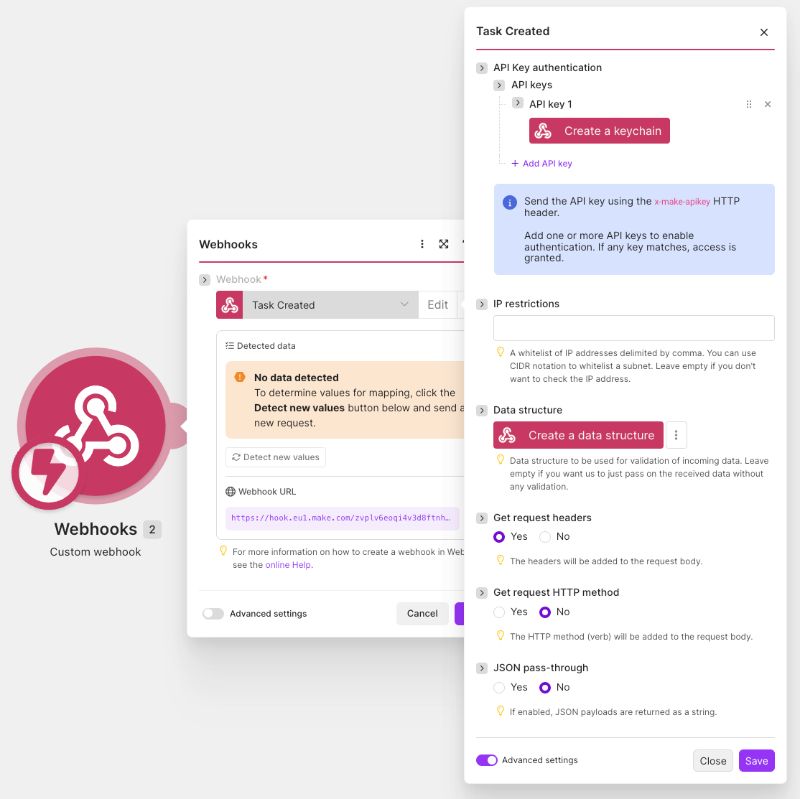
Copy the webhook URL Make gives you.
2. Register the webhook in AbleTime
In AbleTime, open Settings → Integrations → Webhooks, click Create Webhook, pick an event type and an API key with the required read grant, and paste Make's URL as the Target URL. Once the webhook is created, copy the Header token. The Header name is x-abletime-token.
3. Iterate the headers (optional)
Note that Make does not secure the webhook by default, instead relying upon the unique url to obscure it from being discovered. If you want added security, you can add header token verification.
After the Custom webhook module, add an Iterator over Headers[] so each header name/value pair becomes a bundle.
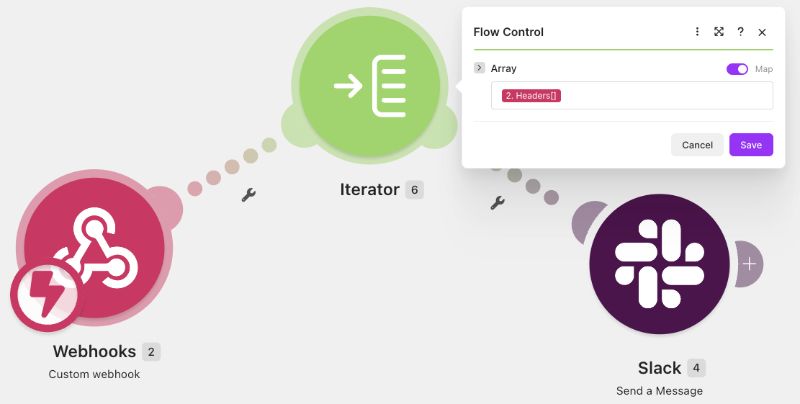
4. Filter on the AbleTime token (optional if no iterator)
Between the Iterator and your next module, add a filter that continues only when Name equals x-abletime-token AND Value equals the header token from AbleTime.
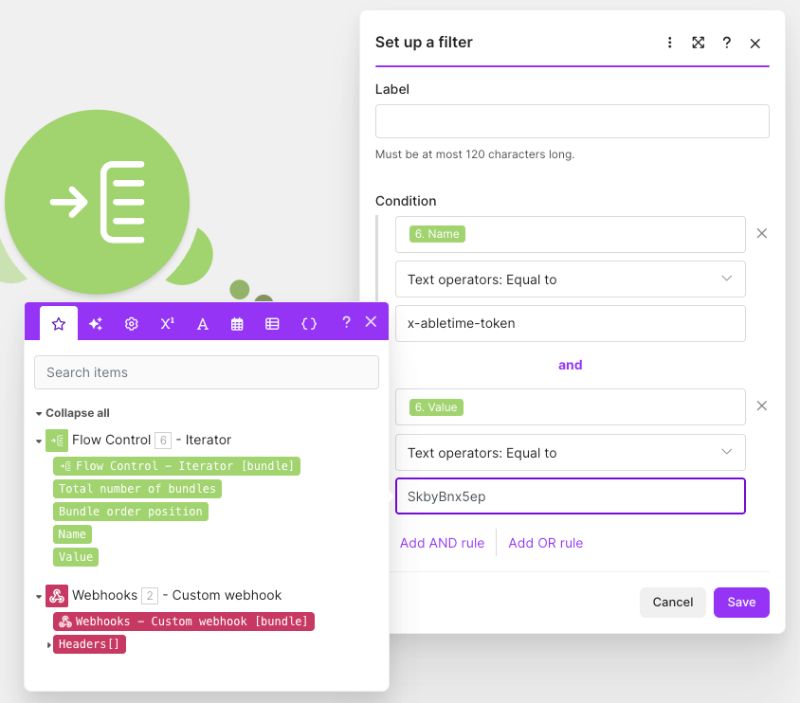
Without that filter, header tokens are ignored and every delivery — including probes and unrelated POSTs to the same Make URL — can continue into your scenario.
5. Map the payload
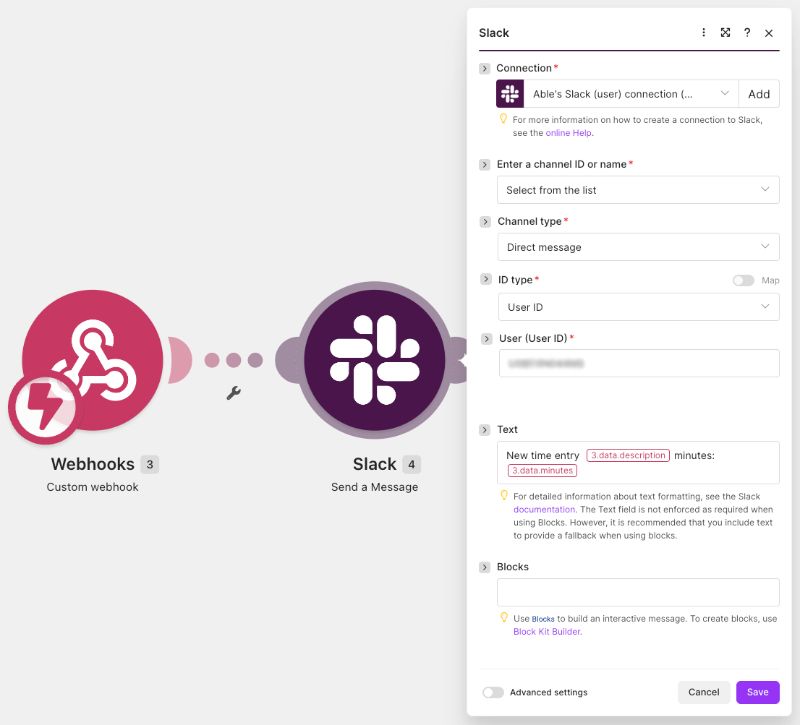
AbleTime's body is JSON with eventType, eventId, occurredAt, and data. Map fields from data into your action modules. For time-entry style events, common fields include data.description and data.minutes.
Zapier
On Zapier, a Catch Hook receives headers automatically. Add a Filter step that continues only when the x-abletime-token header equals your AbleTime header token, then map the payload into later steps the same way.
For signature verification in code, retries, and the full event list, see Documentation → API → Webhooks and Guides → Receiving webhooks.